


Pocket MapleStory: Mobile MMORPG on Desktop
Overview
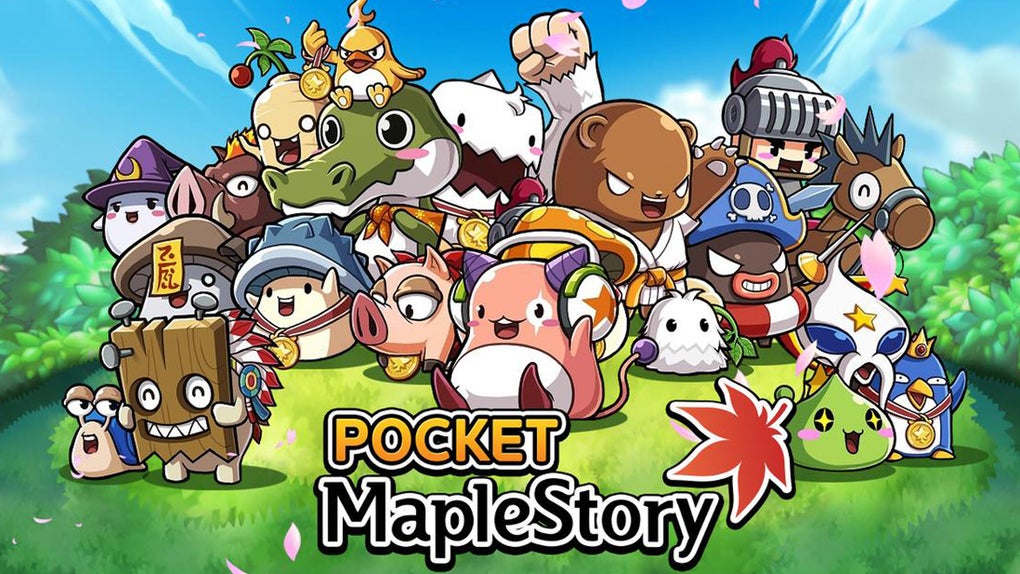
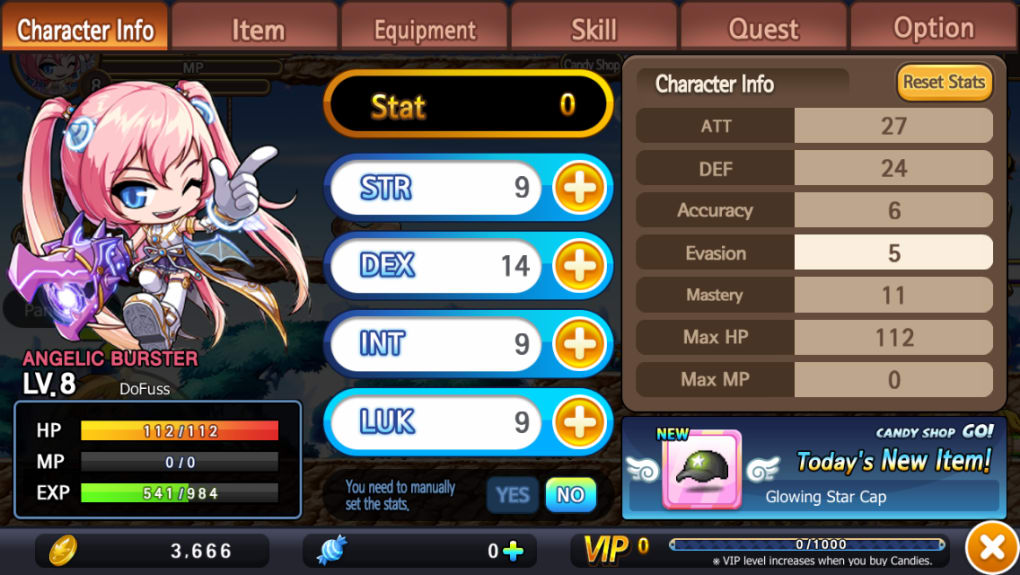
Pocket MapleStory brings the 2003 massively-multiplayer online role-playing game (MMORPG) from Nexon to desktop platforms, offering a portable version of the original mobile experience. Designed for fans of 2D side-scrolling action and anime-styled fantasy worlds, the software allows players to explore a richly detailed environment with customizable characters and persistent online gameplay. The game supports multiple character classes, including the Angelic Buster, Dual Blade, and Demon Slayer, each with unique visual styles and progression paths.
Players engage in quests, collect loot, and enhance their avatars through equipment and cosmetic upgrades. While the core mechanics mirror those of the original mobile title, the desktop adaptation introduces new challenges related to control responsiveness and interface clarity. The software is aimed at dedicated fans of the MapleStory franchise who seek continuity across devices.
It may appeal to players who enjoy retro-style MMORPGs with persistent online communities. The developer did not provide additional system requirements. Real-world usage scenarios include casual multiplayer sessions, character customization, and long-term progression through content updates.
The game’s reliance on text-heavy story elements and small UI elements may affect accessibility for new users.
Key Features & Capabilities
- Character Customization: Players can select from three distinct character types—Angelic Buster, Dual Blade, and Demon Slayer—each with unique animations and visual designs. Customization extends to cosmetics and equipped gear, allowing for personalized avatars.
- MMORPG Gameplay: The software delivers a persistent online world where players complete quests, battle enemies, and level up through stat progression and equipment upgrades.
- Quest System with Skip Options: Despite dense narrative content, the game includes a skip button and visible quest markers to reduce friction for players who prefer action over reading.
- Touchscreen-Inspired Controls: On desktop, movement, jumping, attacking, and quick actions are mapped to on-screen buttons, with pop-up menus for equipment and social features.
- Offline Progression: While online play is required for multiplayer interactions, core progression systems such as leveling and item collection function independently of real-time connectivity.
These features support a gameplay loop centered on exploration, combat, and character development. The ability to skip lengthy text passages helps maintain pacing, though the interface remains dense. Customization offers creative expression, but the small font sizes and compact UI may hinder usability on lower-resolution screens. The game’s reliance on 2D combat mechanics means hit detection can be inconsistent, especially when targeting enemies at close range. Players are expected to adapt to the original mobile control scheme, which may feel unintuitive on desktop devices.
User Interface, Workflow & Performance
The user interface follows a mobile-first design, with on-screen action buttons, pop-up menus, and compact layout elements. Navigation relies heavily on tapping or clicking buttons, with limited keyboard or mouse integration. The workflow is linear: select a character, begin quests, engage in combat, and manage inventory.
While the core mechanics are accessible, the interface becomes cluttered, particularly on medium-sized displays. The placement of digital buttons can obstruct the game view, reducing situational awareness. Performance observations are based on general software behavior patterns.
The developer did not specify resource usage details. CPU and RAM behavior were not disclosed. Stability may vary depending on background applications and system load.
The software runs on Windows and Mac, but exact performance benchmarks were not provided. Users may experience lag or input delays during combat, especially if the system is under strain. Input responsiveness is a known concern, with reports of unresponsive controls during fast-paced sequences.
This could impact gameplay accuracy and overall enjoyment, particularly for players accustomed to precise control schemes.
Compatibility & System Requirements
Pocket MapleStory is compatible with Windows and Mac operating systems. The software version is 1.0.0, and the installation size is 450 MB. The developer did not specify exact system requirements.
Compatibility information was partially provided. Users should ensure their device meets general standards for running desktop games. No hardware specifications were listed, so performance may vary across different configurations.
The software does not appear to require high-end graphics or processing power, but this is not confirmed. It is recommended to check for updates regularly, as the game may receive patches to improve stability and compatibility over time. No specific compatibility notes for older or newer OS versions were included.
Pros and Cons
Pros
- Brings a popular mobile MMORPG to desktop platforms
- Offers deep character customization with multiple classes
- Includes skip functionality for lengthy story text
- Supports persistent online gameplay and progression
- Free to download and use
Cons
- Controls are unresponsive and difficult to use on desktop
- Interface is cluttered and not optimized for larger screens
- Small font sizes may reduce readability
- 2D combat mechanics lead to inconsistent hit detection
- Mobile-first design does not translate well to PC input methods
FAQ Section
Is Pocket MapleStory available for Windows and Mac?
Yes, the software is compatible with both Windows and Mac operating systems.
Is the software free to download and use?
Yes, Pocket MapleStory is available at no cost. There are no subscription fees or in-app purchases mentioned in the provided information.
Can I play Pocket MapleStory offline?
While the game requires an internet connection for multiplayer interactions, core progression systems such as leveling and item collection can be managed offline.
How often are updates released?
The release date was October 15, 2023. No information about update frequency was provided by the developer.
Is the game secure to download?
The software is developed by Nexon, a reputable company in the gaming industry. As with any download, users should ensure they obtain the software from official sources to maintain security.
Final Thoughts + CTA
Pocket MapleStory delivers a nostalgic experience for fans of the original mobile MMORPG, offering a desktop version of a beloved title. Its anime-styled world, character customization, and persistent gameplay are strong points. However, the port’s mobile-centric interface and unresponsive controls significantly hinder usability on desktop.
The software is not well-suited for new players or those seeking a polished PC gaming experience. It remains a niche choice, best suited for existing fans willing to overlook design flaws. For others, a game built from the ground up for desktop may offer a better alternative.
If you’re a dedicated MapleStory enthusiast, this version provides access to the world you love. Download Pocket MapleStory now.







